
Loading the latest stories…
Whether you're looking for simple but powerful weaving software, an enormous collection of unique WIFs, or a creative set of draft editors, Handweaving.net invites you to choose your own weaving adventure.
Anne Merrow3 min read
When weavers find a structure or draft they like, they play around with it—maybe making a small change such as using a different color, or big changes so fundamental that the draft hardly resembles the original and even the underlying structure has changed. Not too long after he started weaving, Kris Bruland found some elements he wanted to play around with . . . but instead of developing a new draft and weaving a project, he built a new weaving toolbox. Better yet, he invited other weavers to come in and build their own projects at Handweaving.net.
I picture Kris asking a series of “what if” questions, first when he launched Handweaving.net in 2004 and then with each new feature that he added to the site.
“What if you could take the handwritten drafts in historic weaving books and use them with weaving software?”
“What if you could develop and edit WIFs in a web browser, so they’d be available on any computer you were working on?”
“What if you could create your own collection of drafts you liked, share them, start a conversation with other weavers, and come back to them later—almost like your own WIF Pinterest?”
“What if you could search for other drafts that used the same tie-up or treadling as the one you’ve been working with?”
Eighteen years after Handweaving.net launched with 200 WIFs (weaving information files), you can do all of those things with a single website. The website includes tools to manipulate drafts, such as the Draft Editor, Color Picker, Gradient Color Editor, and Amalgamation Editor. The tools are intuitive and designed for easy experimentation, and they're available without any downloading or installation. (Forget playing games on your tablet on your commute—play with a new draft instead. See how it works with their video on YouTube.)
Handweaving.net also offers powerful weaving-specific search and categorization tools, so you can choose drafts that will work for your loom or drafts that use a specific tie-up or treadling. The site’s collaboration tools encourage commenting, sharing, and exploring other weavers’ work. With the latest updates, you can transition from one feature to another smoothly without exporting files. And those 200 WIFs? Today there are more than 75,000 drafts on the site, organized for easy discovery.
Given the name of the site, nonweavers might think that Handweaving.net doesn’t have much for them. Thanks to a collaboration between Kris and Ralph Griswold, Handweaving.net also holds a treasure trove of historic textile books and pamphlets on subjects including lacemaking, fibers, costume, and dyeing.
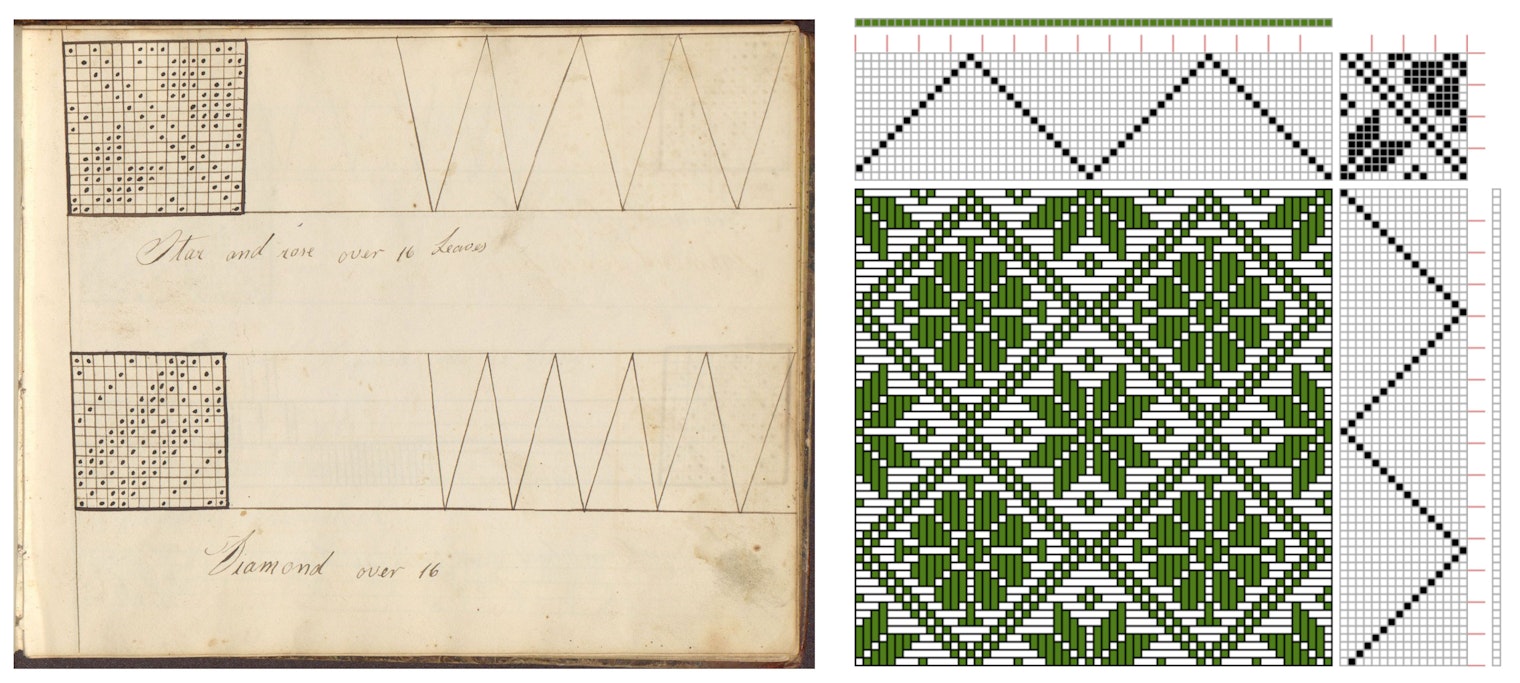
Ralph Griswold began his On-Line Digital Archive of Documents on Weaving and Related Topics at the University of Arizona, where he founded the university's computer science department. After his retirement in 1995, Griswold became interested in weaving, and he collected and scanned thousands of historic books, articles, monographs, and other textile-related materials. With their shared interests in computer science and weaving, Ralph and Kris became friends, and the scans of the pages of historic weaving materials from Ralph's archive were transformed into 60,000 modern drafts available as WIFs for contemporary weavers through Handweaving.net.
Many historic drafts are scratched out in a quill pen with idiosyncratic notations, or printed using lead type in the industrial age, leaving plenty to interpretation (or imagination). Kris wrote software that would analyze pictures of drafts and convert the images into a complete set of weaving directions: threading, tie-up, treadling, and drawdown, all ready to operate a dobby or be transformed with Handweaving.net’s suite of tools.
Whether you’re looking for a huge new library of drafts you can’t find anywhere else, unique approaches to making drafts your own, or a portable weaving software platform that works on any computer with internet access, Handweaving.net unlocks a world of weaving possibilities.
More from Handwoven
 Take a WIF or Three!Enjoy three FREE WIF downloads to complement Handwoven September/October 2017.Susan E. Horton · August 17, 2017
 Using WIF files - Judie EatoughA three page article to download on using wifs and weaving software by Judie Eatough.Long Thread Editorial Staff · January 4, 2016
 Weaving Software Basics - Judie EatoughFree pdf download of "Computer Weaving Software: The Basics" by Judie EatoughHandwoven Editors · January 4, 2016
 Ask Madelyn: Weaving Lace with WoolHow do you weave a light and lacy throw using wool? Madelyn van der Hoogt · November 25, 2015
 Ever Wonder What WIFs Are Good For?These powerful tools help you customize projects before you weave them.Lynn Rognsvoog · August 6, 2025
 Window Shopping for WIFs After lurking for years, I decided to get a subscription and check out the WIFs on Handweaving.net for real.Susan E. Horton · October 31, 2022
 A Pair of Towels Inspired by the Love of PurpleIf that’s not your color, explore your stash—and then follow the Rule of Three as you warp your version. Christina Garton · July 22, 2026
 Join In: A Retreat for Weavers of All Sorts!Don’t miss the classes, community, and fun at Weave Together 2027.Handwoven Editors · July 20, 2026
 Books Off the Beaten Path: The Yarn Barn of Kansas List of Hidden GemsBook Club Podcast: What lesser-known treasures do Yarn Barn fiber artists love to share? Susan and Melissa share some of their favorites in weaving, spinning, and knitting. Liz Gipson drops by to talk about one of her books that Susan and Melissa adore.July 18, 2026
 Selvedge Series, Part 3: Add Commercial or Handmade Trims + Free VideoTwill tape, braids, and even fancy rickrack step up in this video tip from Spice Up Your Selvedges.Sara Bixler · July 15, 2026
From the Library

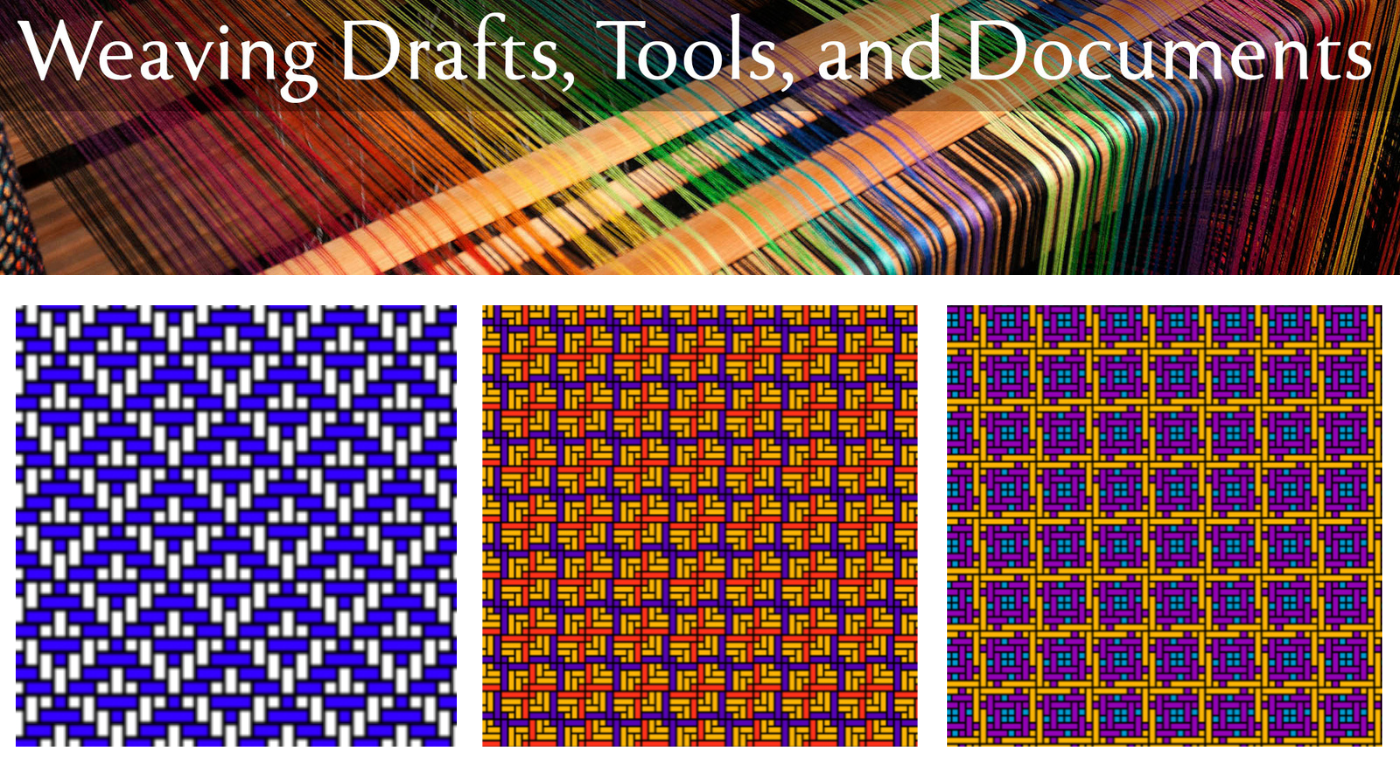
 Clockwise from the top left: Draft Editor, two examples of Amalgamation Drafting, and Draft Color Editor.



Comments
No comments yet — be the first to share your thoughts.
Sign in to join the conversation — commenting is for signed-in members.